Skip to content
TAP Freeze app icon
Live

Productivity · by Shivoham Play

TAP Freeze: NFC App Blocker

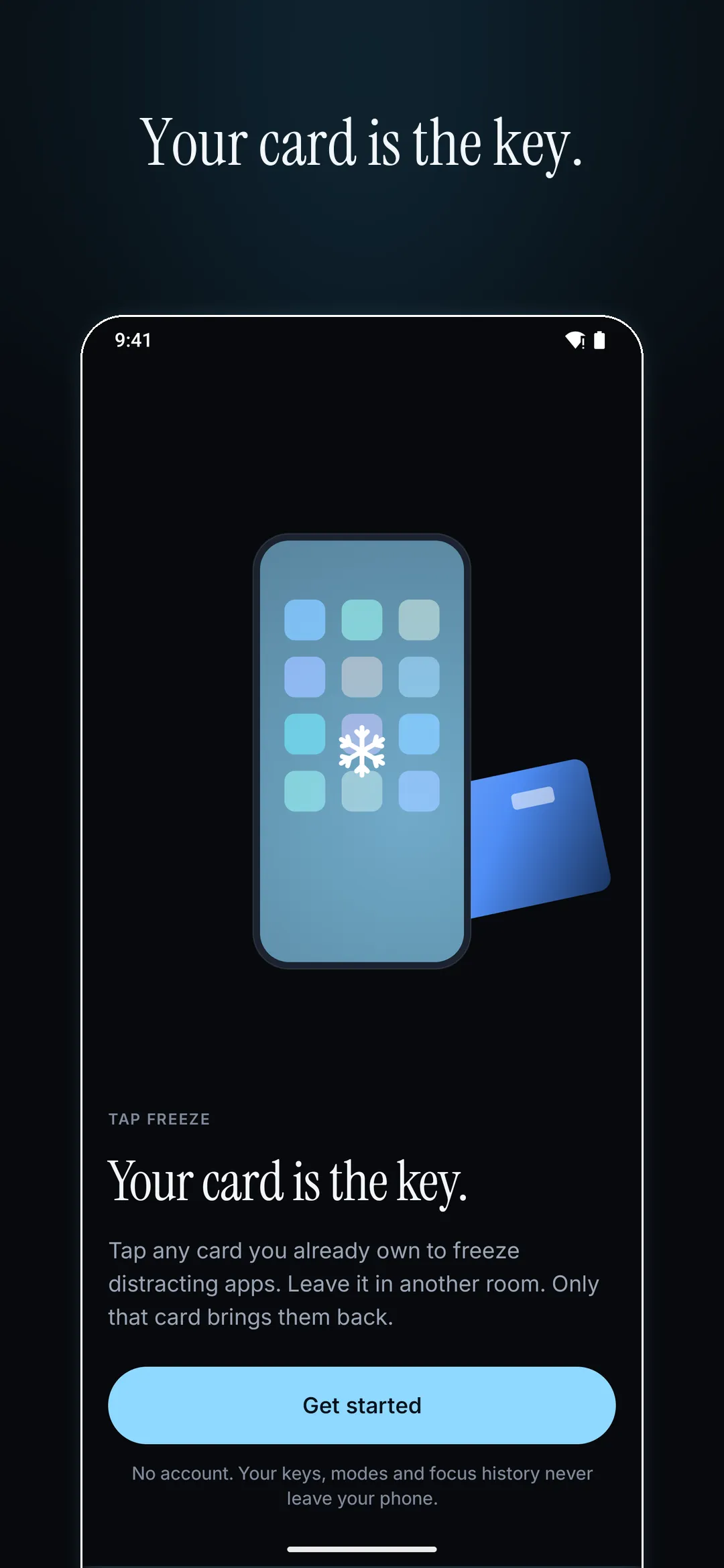
Your card is the key. Tap a Metro card, office badge or hotel key to freeze distracting apps — only that same card brings them back.

  • Works offline
  • No account
  • On-device processing
Version
1.0.0
Updated
27 Nov 2026
Android
9+
Price
Free · Pro from ₹149/month
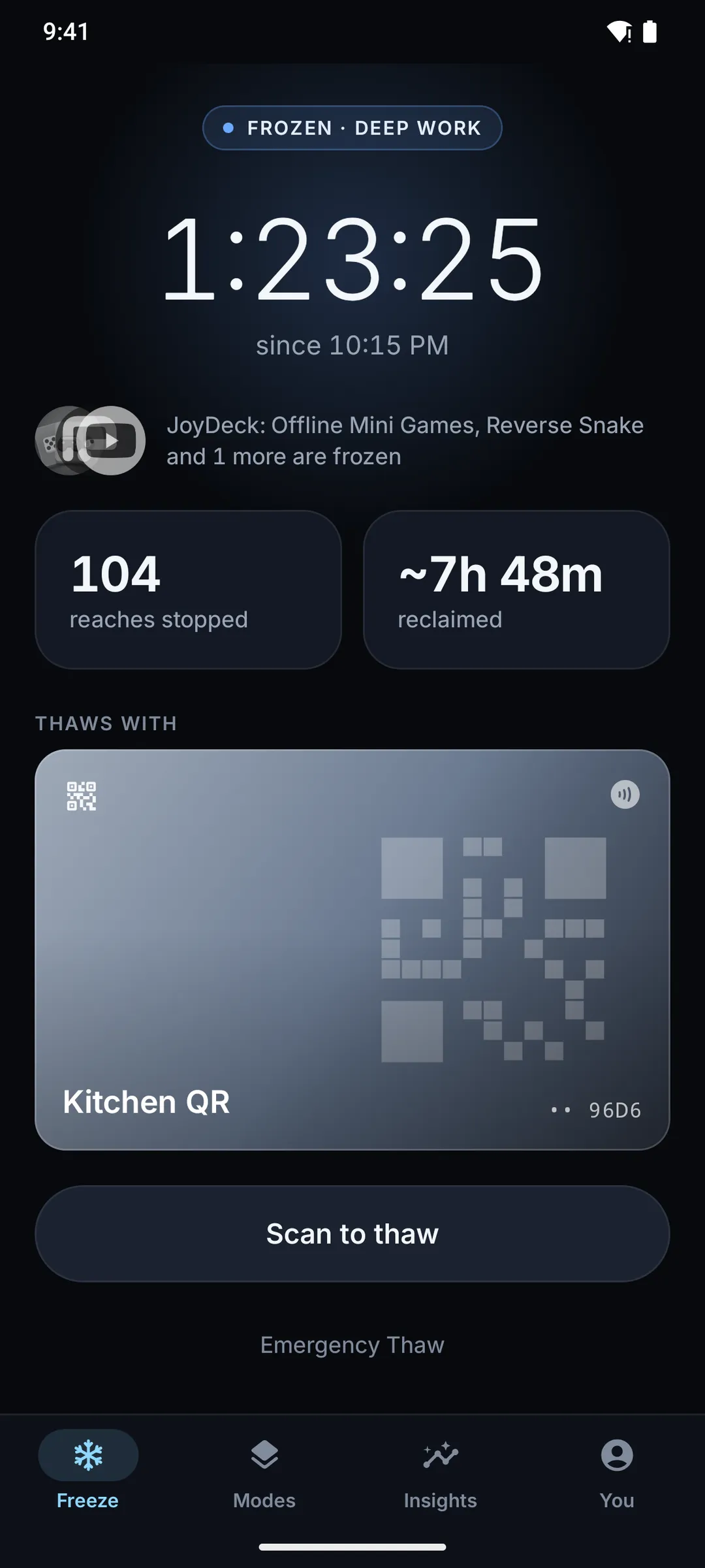
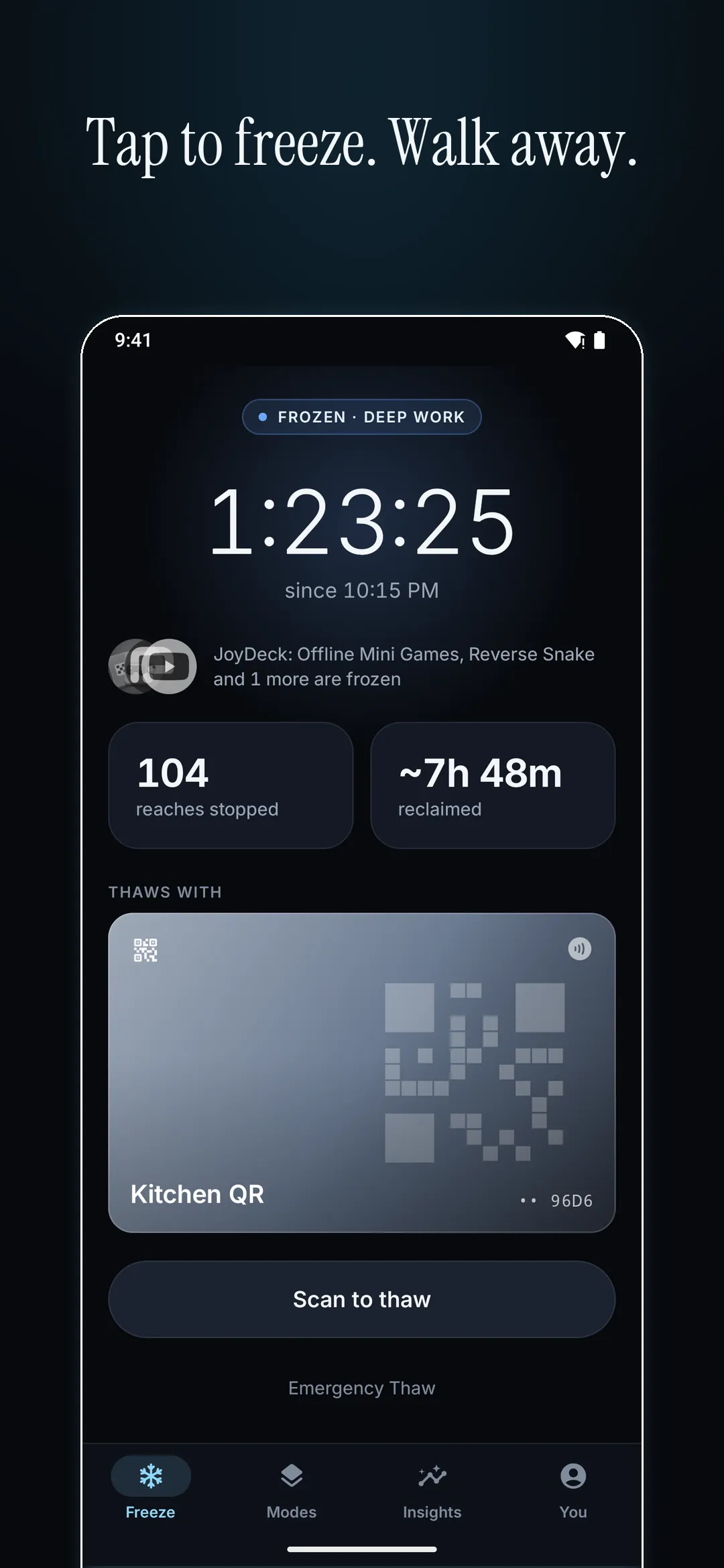
TAP Freeze running on an Android phone

At a glance

What is TAP Freeze?

TAP Freeze is an Android app blocker that turns a contactless card you already own — a Metro card, office badge, hotel key or NFC sticker — into the off switch for distracting apps. It's free with one key and one mode; TAP Freeze Pro (₹149/month, ₹799/year or ₹1,499 once) adds unlimited keys, schedules and Hard Freeze.

hardware to buy
₹0
hardware to buy
to link a card
2 taps
to link a card
Emergency Thaws a month
3
Emergency Thaws a month
TAP Freeze key facts
What it doesBlocks the apps you choose until you tap the same NFC card or scan your QR Key
Works withMetro cards, office badges, hotel keys, gym fobs, NFC stickers, printed QR Keys
PriceFree · Pro ₹149/month, ₹799/year or ₹1,499 lifetime
AccountNone — no sign-up
InternetNot needed to freeze or thaw
AndroidAndroid 9 or newer
Uses Accessibility?No

Real life

Where it helps

Leave the card in another room

The walk back is the point. Willpower runs out. Distance doesn't.

Exam season

Freeze Instagram and YouTube until the mock test is done. Study mode keeps only the apps you need.

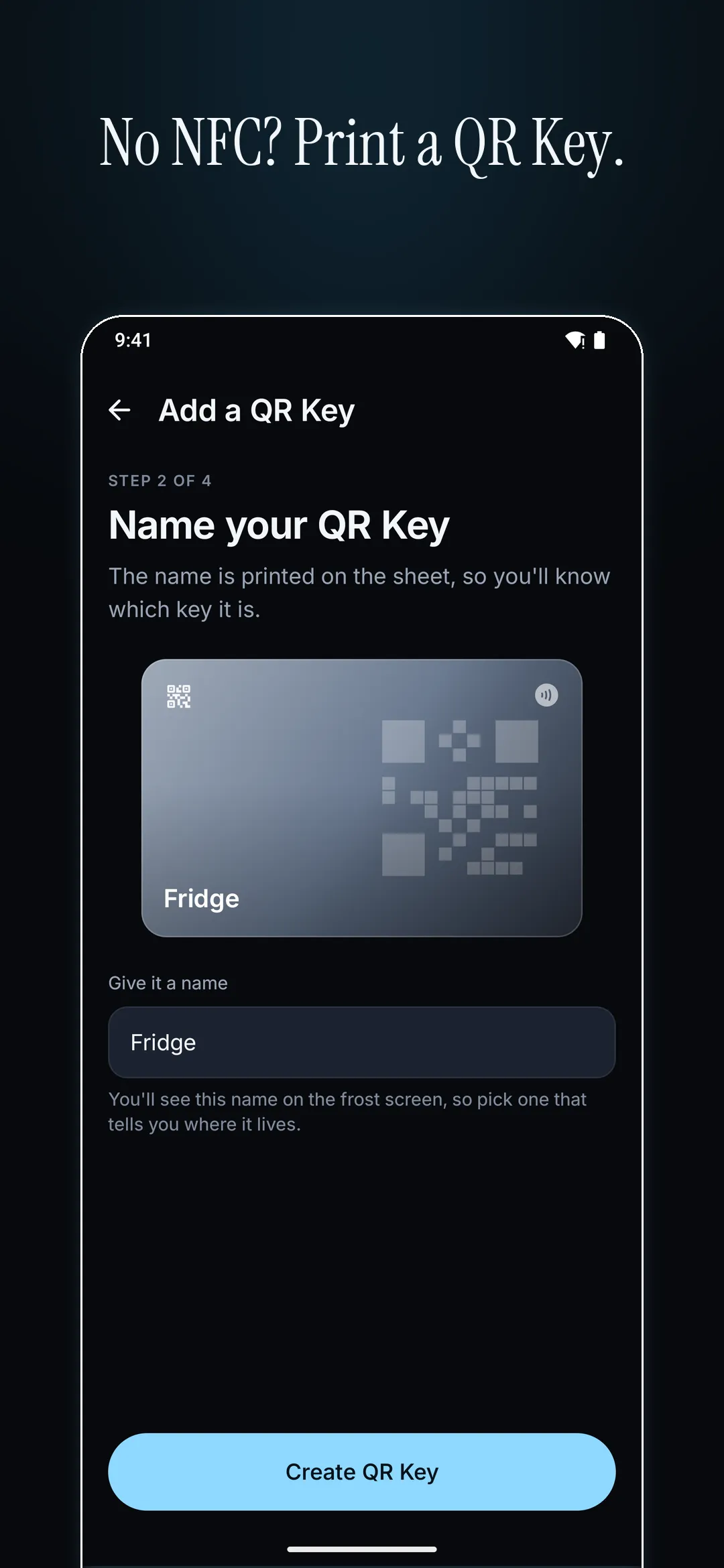
No NFC? Print a QR Key

Stick it on the fridge or in the car and scan it to thaw. Works on every phone.

Sleep at 11 PM

Pro schedules freeze for you, every night, without a tap.

How it works

Three steps. About a minute.

  1. 1

    Link a card

    Tap any contactless card to the back of your phone twice. That card is now your key.

  2. 2

    Pick what freezes

    Social media, video apps, games — or everything except the few apps you choose.

  3. 3

    Tap to freeze. Tap to thaw.

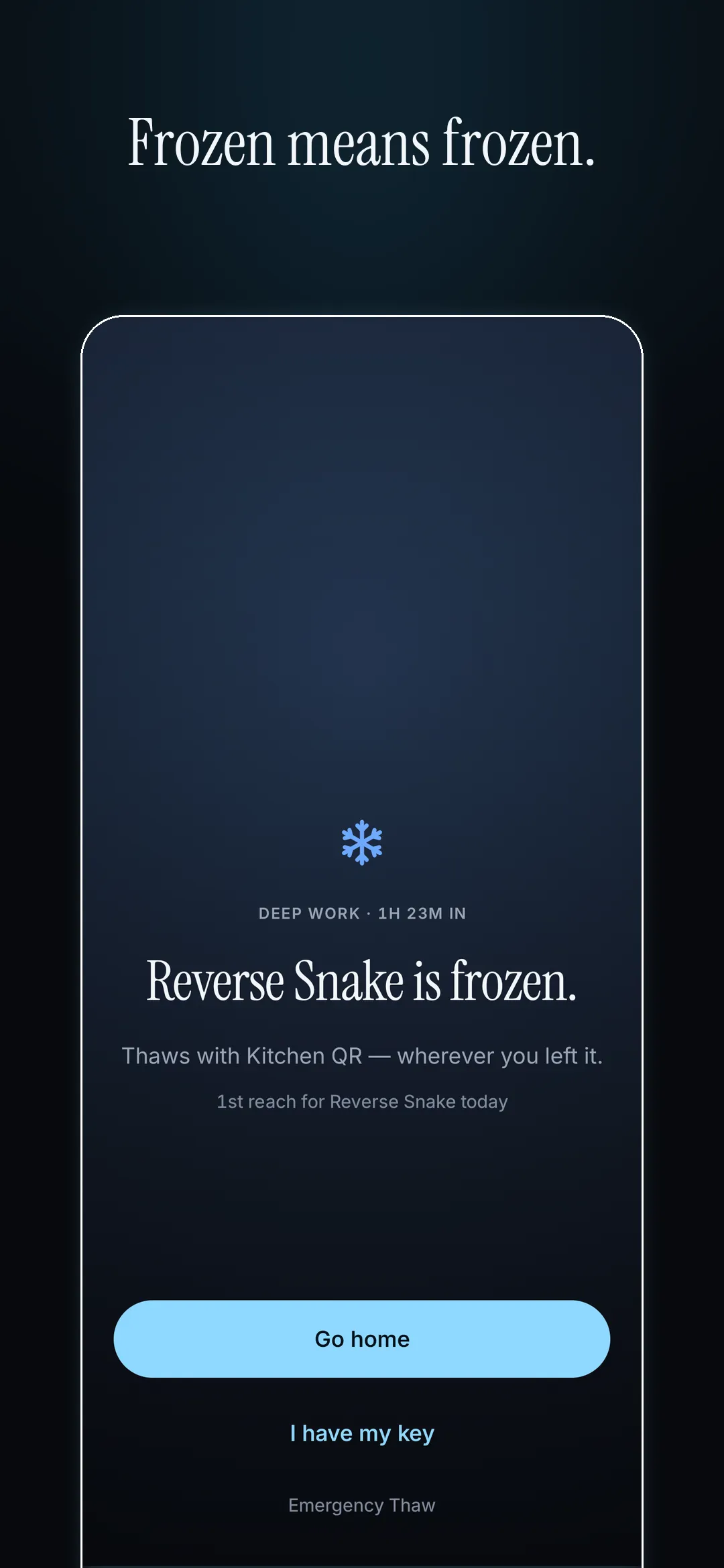
    Opening a frozen app shows a calm frost screen. Only the same card thaws it.

Permissions, explained
  • Usage access

    To see which app just opened, so a frozen one can be covered. TAP Freeze never sees what you do inside any app.

  • Display over other apps

    To show the frost screen over a frozen app.

  • Ignore battery optimisation

    So your phone doesn't close TAP Freeze in the middle of a freeze.

  • NFC

    To read your card's ID when you tap it. Only a one-way hash is stored, never the card's real ID.

  • Camera

    Only to scan your QR Key. Frames are decoded on the phone and discarded.

Screenshots

See it on a phone

TAP Freeze welcome screen: Your card is the key.
Home screen with distracting apps frozen.
The calm frost screen that covers a frozen app.
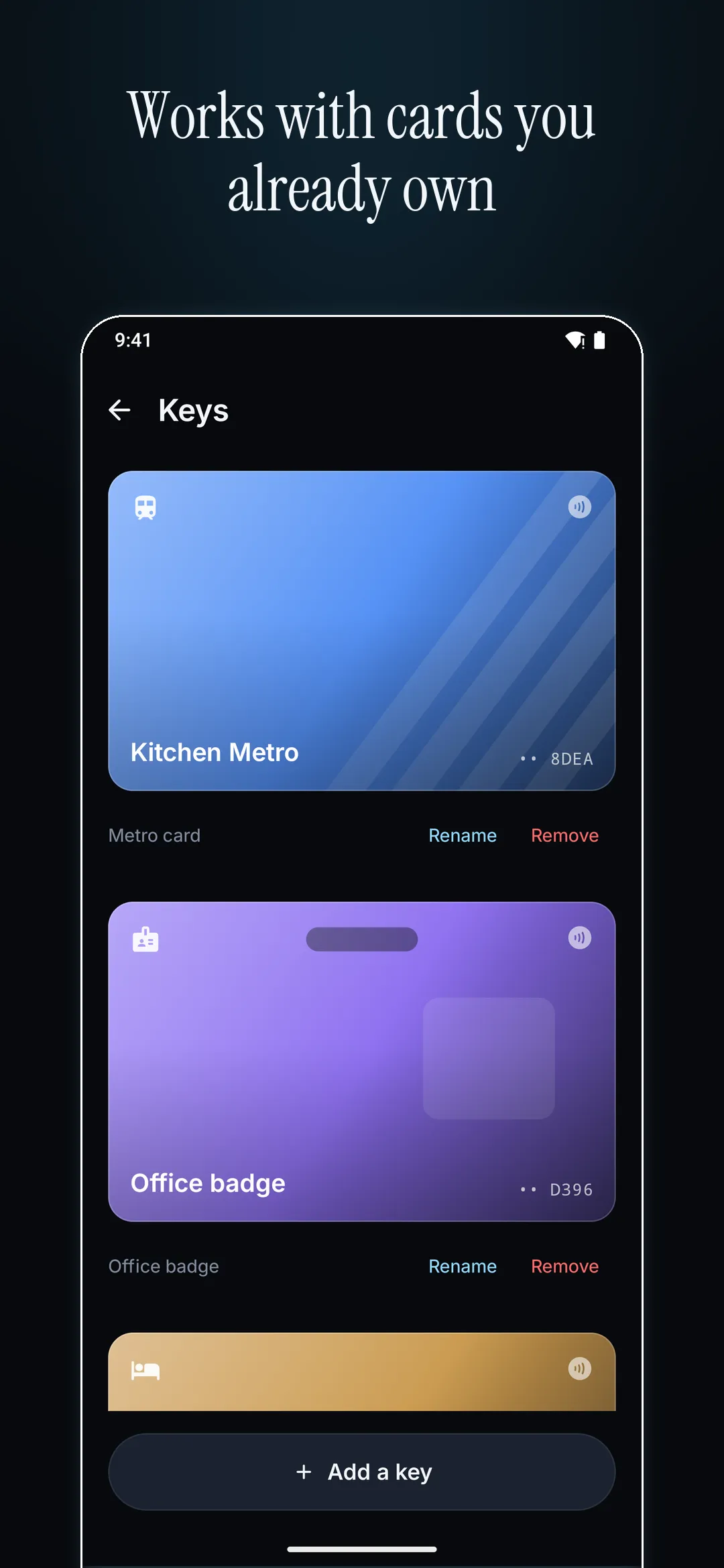
Keys screen listing linked NFC cards.
A printable QR Key for phones without NFC.
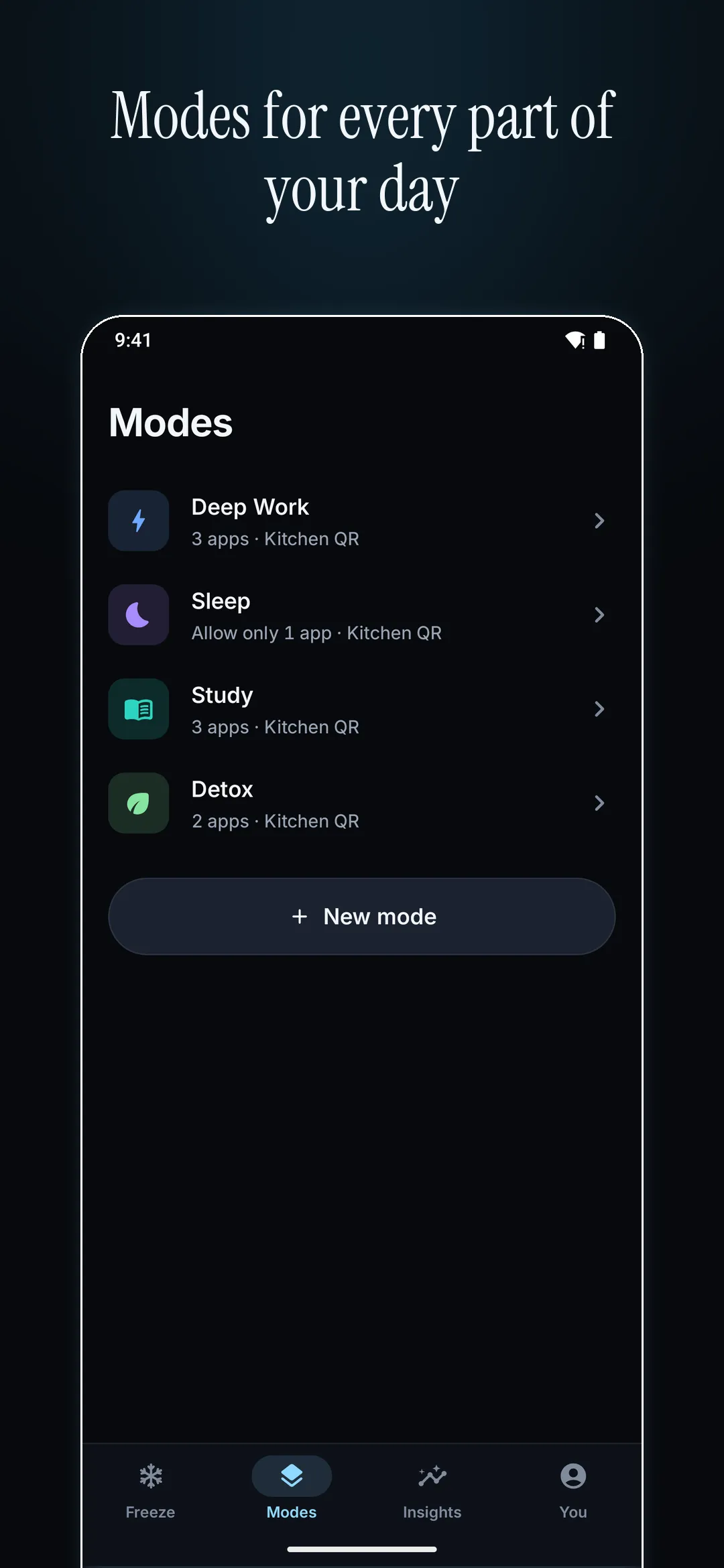
Modes: Deep Work, Sleep, Study and Detox.
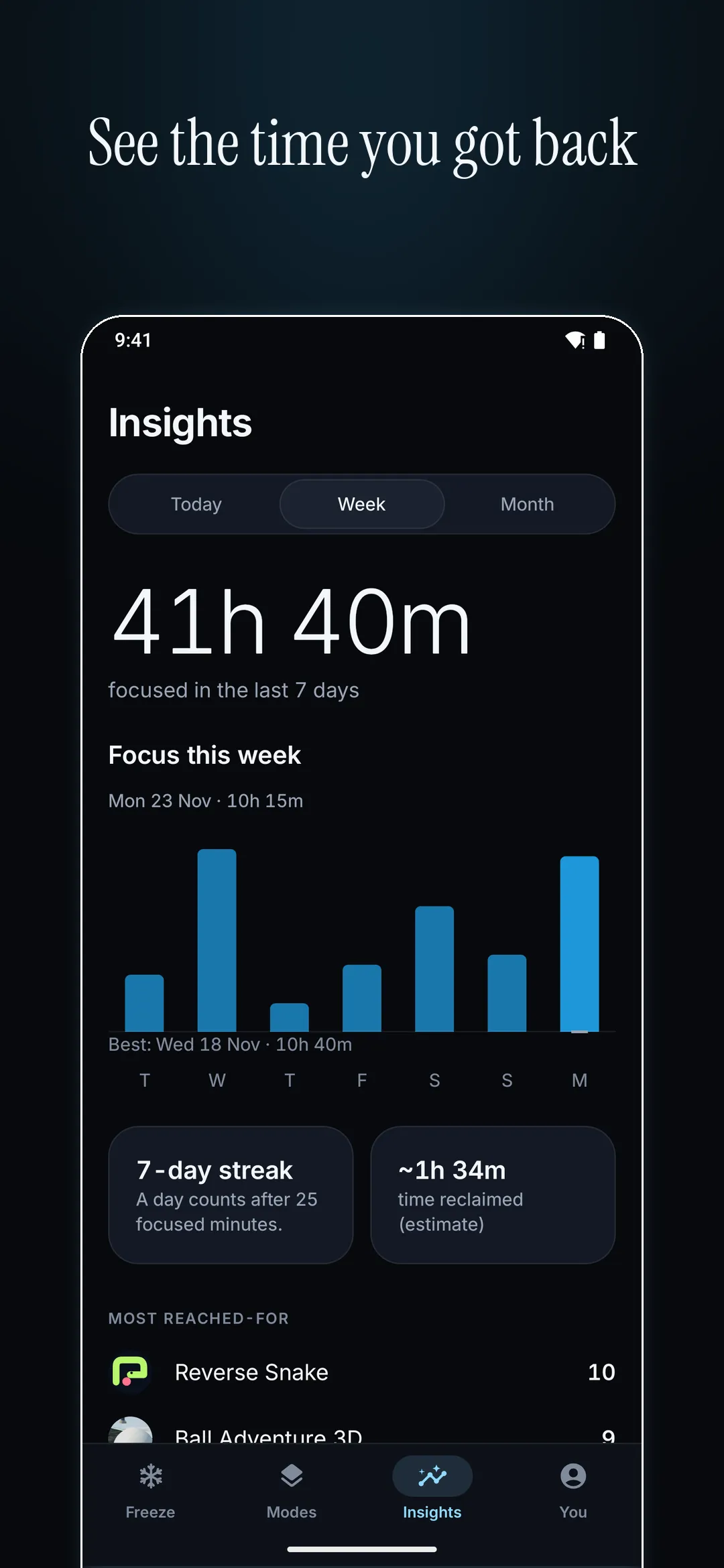
Insights showing focus time and streak.
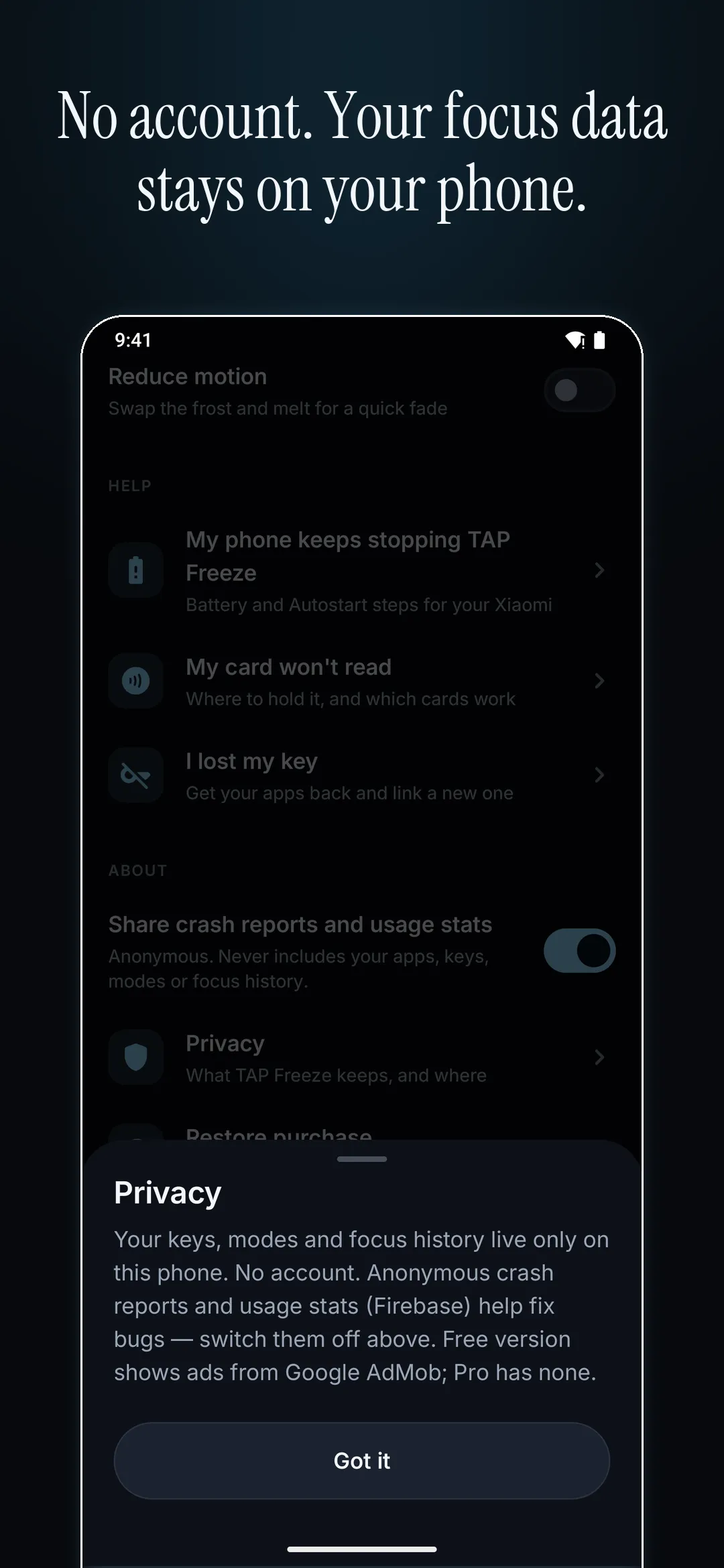
Privacy screen: no account, data stays on your phone.

Features

What's inside TAP Freeze

Any card is a key

Link a Metro card, office badge, hotel key or NFC sticker in two taps. No special hardware to buy.

No NFC? Print a QR Key

Print a QR Key, stick it on the fridge or in the car, and scan it to thaw. Works on every phone.

Built to hold

Survives restarts. Phone calls, alarms and your home screen always work. Step-by-step guides keep Xiaomi, Samsung, OnePlus, OPPO, realme and vivo battery savers from closing it.

Modes for your day

Deep Work, Sleep, Study, Detox — or build your own. Hard Freeze also locks Settings and uninstalling for the length of a session.

See the time you got back

Insights show how long you stayed frozen, how often you reached for a frozen app, and your streak.

Emergency Thaw

Always there if you truly need out — limited to 3 every 30 days, so a freeze still means something.

Pricing

Free to start. Pro when you want more.

Free

₹0

  • 1 key and 1 mode
  • Unlimited apps per mode
  • Emergency Thaw
  • Today's insights
  • Ads from Google AdMob

TAP Freeze Pro

₹149 / month

  • Unlimited modes and keys
  • Hard Freeze (locks Settings and uninstalling)
  • Schedules — Sleep freezes itself at 11 PM
  • Full insights: weekly trends and streak history
  • No ads

₹149/month · ₹799/year · ₹1,499 once. Prices may vary by country; Google Play shows your local price.

Privacy

Your data, in plain words

No account. Your keys, modes and focus history never leave your phone. Free version shows Google AdMob ads.

No accountAds (Google AdMob)Uses internetAnalytics: opt-out
  • Card IDs are stored only as a one-way hash protected by Android Keystore.
  • Keys, modes and focus history are excluded from Android backups.
  • TAP Freeze Pro never starts the ad SDK.
  • Purchases are handled by Google Play — we never see payment details.

Anonymous crash reports and usage stats (Firebase) — can be switched off.

FAQ

TAP Freeze questions, answered

Still stuck? Ask us directly — we reply within 2 working days.

Can I use a bank or credit card as a key?

No. Bank and credit cards change their ID on every tap, so they can't be keys. TAP Freeze tells you if you try one. Metro cards, office badges, hotel keys, gym fobs and NFC stickers work.

My phone doesn't have NFC. Can I still use it?

Yes. Print a QR Key from inside the app and scan it with the camera to thaw. It works on every Android phone.

What if I lose my card?

Use Emergency Thaw — it's always available, limited to 3 times every 30 days. Then link a new card.

Does TAP Freeze read what I do inside apps?

No. It only reads the name of the app you open, so it can cover a frozen one. It does not use Accessibility services.

Will calls and alarms still work during a freeze?

Yes. Phone calls, alarms and your home screen always work.

Does a freeze survive a restart?

Yes. A freeze picks up where it left off after your phone restarts.

Is TAP Freeze like Brick?

It's the same idea — a physical object you have to walk to — without buying any hardware. You use a card you already own.

Changelog

What's new in TAP Freeze

Full history

TAP Freezev1.0.0

TAP Freeze launches on Google Play

New

  • Freeze distracting apps with any contactless card you already own — Metro card, office badge, hotel key or NFC sticker.
  • Printable QR Keys for phones without NFC.
  • Deep Work, Sleep, Study and Detox modes, plus your own.
  • Emergency Thaw, limited to 3 every 30 days.
  • Insights for focus time, reaches and streaks.
  • TAP Freeze Pro with unlimited keys, schedules and Hard Freeze.

More from Shivoham Play

You might also like

BetaVideo & Creator

SmoothRec

Turn screen recordings into pro demos: phone frame, auto-zoom, private info blur.

  • No internet permission
  • No account
LiveCasual

JoyDeck

Play 25 offline puzzle, arcade, board and card games on one phone.

  • Plays offline
  • No account

TAP Freeze

Free · Pro from ₹149/month

Get — it’s free